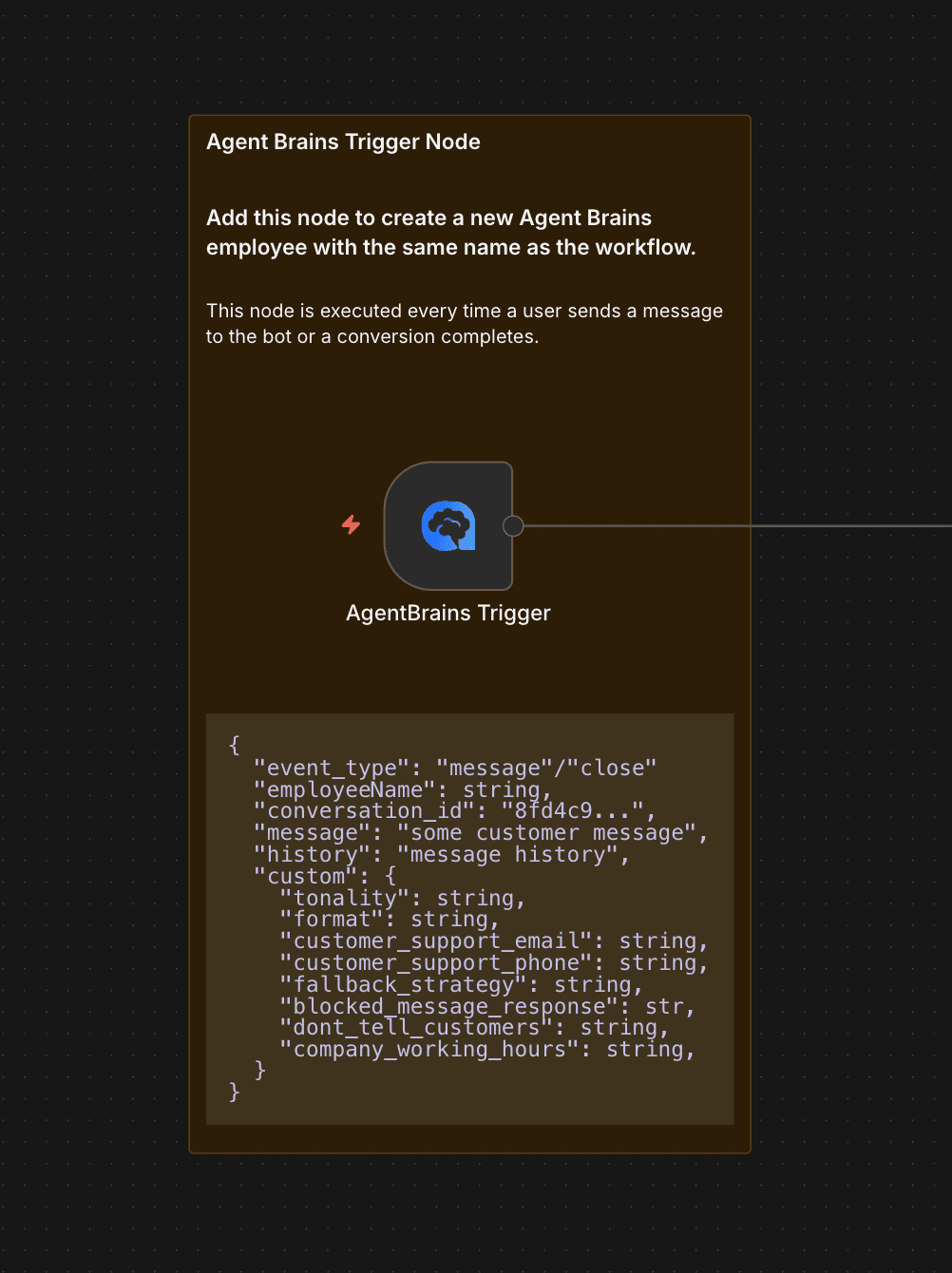
AgentBrains Integration Trigger
Start n8n workflows from AgentBrains using a registered production webhook.
AgentBrains Integration Trigger
Use this node when AgentBrains should initiate the workflow. It is the bridge between a live AgentBrains integration and your n8n automation.
What it does
When the workflow is activated, the node registers the production webhook URL with AgentBrains. When AgentBrains sends a POST request to that webhook, the workflow starts immediately.
This is the right node for:
- AI employees that should hand execution to n8n
- Production support or sales flows managed in AgentBrains but executed in n8n
- Synthetic user tests that must hit the same production-style workflow entry point
How activation works
The node handles webhook lifecycle tasks for you:
| Stage | Behavior |
|---|---|
| Activation | Registers the workflow ID, workflow name, and production webhook URL with AgentBrains |
| Active workflow | Accepts POST requests on the node webhook path |
| Reconfiguration | Re-activate the workflow if credentials or webhook URLs change |
The node converts n8n test webhook URLs into production webhook URLs before registration, so AgentBrains always stores the production endpoint.
Parameters
| Parameter | Description |
|---|---|
| Respond | Choose whether the webhook response comes from a Respond to Webhook node or from the Last Node in the execution path |
| Additional Headers | Optional custom headers for webhook requests |
Input and output
This is a trigger node, so it has no incoming connection.
When a request arrives, the node emits one item with a data object that contains:
- The incoming request body from AgentBrains
- n8n workflow metadata merged into the same object
That makes it easy to route the payload into downstream branching, AI, or formatting nodes.
Request and Response Format
Data Sent to Your Webhook
When AgentBrains triggers the workflow, it sends an HTTP POST request. You should validate the header before processing the body.
Headers Every request contains:
X-Api-Key: Your Webhook Secret.
Body A JSON object with conversation data. The most important fields are:
message: The newest customer message.history: The complete chat history for context.conversation_id: The unique conversation ID.employeeName,role,tonality, etc.: Configuration parameters of the AI employee.
{
  "employeeName": "ATN sales expert",
  "role": "You are a helpful and knowledgeable Information Specialist...",
  "tonality": "You are a Crazy crazy sales person who always answers in jokes",
  "message": "What does he look like?",
  "conversation_id": "68debab6d8a1a1163e976969",
  "history": "Agent: Hey chat with me - here to help. Sales\nCustomer: I want to buy thor 5 320 3-12x\n..."
}
How to Send a Response Back
After processing the request in your workflow, you must respond with an HTTP 200 status and a JSON object containing a single message key.
{
  "message": "This is the generated reply from your custom AI that will be sent to the customer."
}
Recommended setup
- Add AgentBrains Integration Trigger as the first node in the workflow.
- Choose the response strategy.
- Build the rest of the flow exactly as you want the live integration to run.
- Activate the workflow so AgentBrains can register the production webhook.
If your flow needs to return a specific payload to AgentBrains, use Respond to Webhook. If you want the final downstream item to become the response automatically, use Last Node.
Typical pattern
- Integration Trigger receives the inbound request.
- Your workflow enriches the request with CRM, ERP, or internal business logic.
- Optional AgentBrains nodes retrieve policies, product data, images, or RAG context.
- The workflow returns a final response to AgentBrains.
Operational notes
| Note | Why it matters |
|---|---|
| Workflow must be active | Registration happens during activation, not while editing the workflow |
| Credentials are required | The node checks and registers against the AgentBrains admin integration endpoints |
| Best for production entry points | This node is for inbound execution, not for querying data or acting as an AI tool |
When to pair it with other nodes
- Pair it with AgentBrains Knowledge Base for deterministic policy or product answers.
- Pair it with AgentBrains RAG when the workflow needs semantic search over the full knowledge base.
- Pair it with AgentBrains Synthetic QA when you want to validate the same workflow behavior repeatedly.
Node Interface
Here is how the AgentBrains Integration Trigger node looks in n8n: